LiGMA
A dev-only overlay for Vite and React. Point at a component, type what is wrong, press Enter, and your coding agent is working on that element before you have looked away.
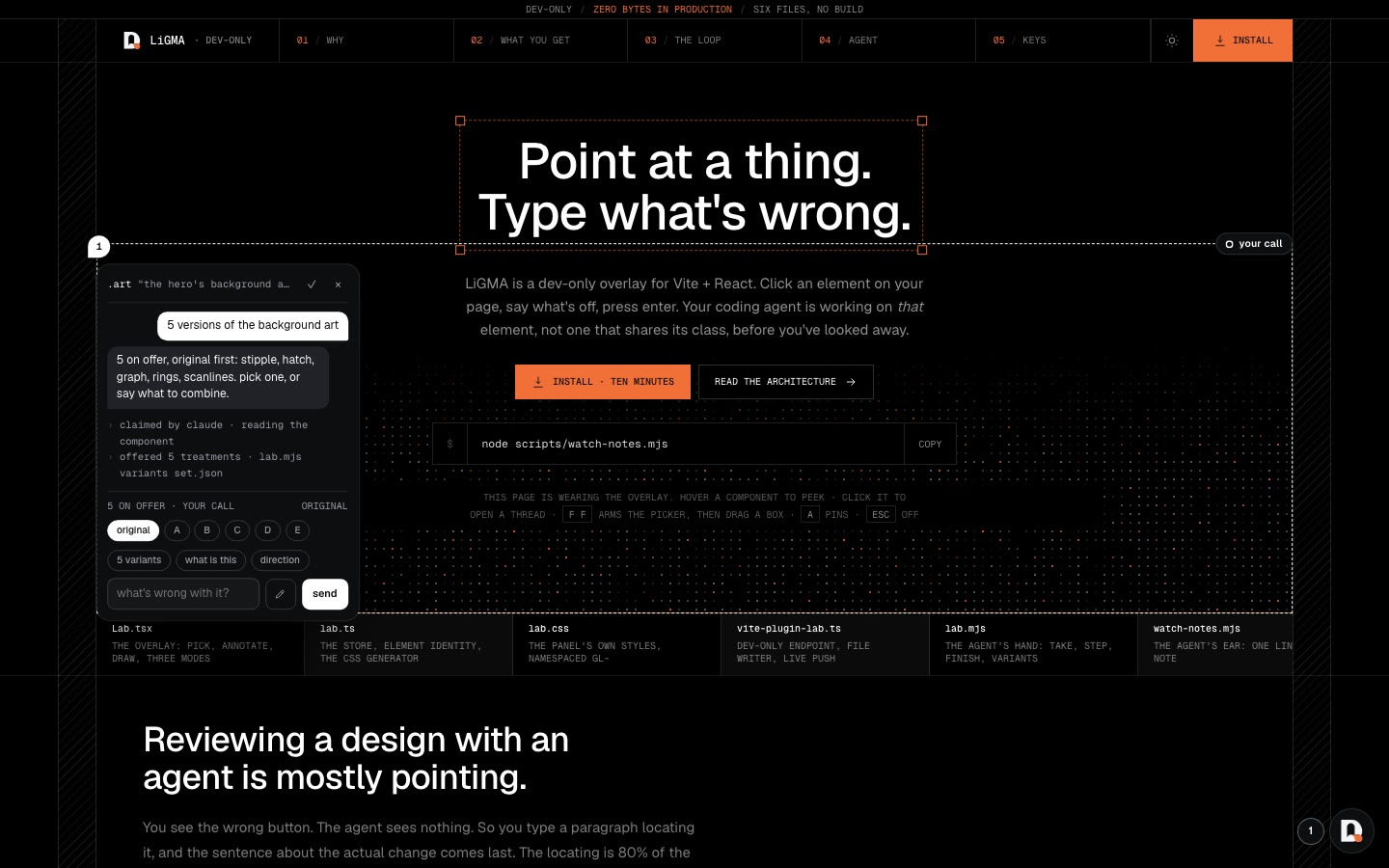
LiGMA (Live Grain Markup Annotator) is a dev-only overlay for Vite and React apps that turns "this bit looks wrong" into one line a coding agent acts on. You point at a component on the page, type what is wrong, press Enter, and the agent is working on that element before you have looked away. Not the one that shares its class. That one.
Reviewing a design with an agent is mostly pointing. You see the wrong button, the agent sees nothing, so you type a paragraph locating it and the sentence about the actual change comes last. LiGMA removes the locating. The overlay knows the element, its selector, its source path and how many share its class, and hands all of that to the agent with your note.
Watch the 60 second launch video: the overlay on a real product page in dev, with the agent side played live.
What it does
- Pick and say. Press
ffto arm the picker, click a component, type what is wrong. The thread pins to the element and the agent claims it, steps through what it found, and ticks the note off when the change is in the source - Variants. Ask for five treatments of a component. The agent offers them as rulesets, chips swap the live stylesheet on the page, the original is always one of them, and "use this" writes the pick into the source
- Paste a screenshot. Cmd+V an image into a composer and it attaches and sends with the note
- Draw what you mean. A drawing pad on the page, with shapes, arrows, text, five inks, three nibs, select, clipboard and undo. The drawing attaches to the note as a PNG
- Several at once. Drag a box and every outermost component inside it gets a composer
- Zero bytes in production. The overlay only exists under
?grainin dev. A production build carries none of it, and the install guide shows how to prove that with a grep on the bundle
How it is built
- Six files, no build. A React component for the overlay, a store, the overlay's own stylesheet, a Vite plugin that serves and writes
.lab/state.json, and two scripts for the agent's side - The agent's hand.
scripts/lab.mjstakes, steps, finishes, offers variants and replies. The agent runs it from its shell like any other command, so it works with Claude Code, Codex and Cursor alike - The agent's ear.
scripts/watch-notes.mjsprints each note as it arrives, so an agent in a terminal sees the thread the moment you press Enter - One file on disk. Threads, variants, notes and screenshots live in
.lab/, gitignored. The overlay and the agent both read and write the same file, and nothing else is shared - The landing page wears the overlay. Hover any component to peek, click to open a thread, pick a variant of the hero's background art. It is the product running on its own page
Why I built it
I was reviewing landing pages with an agent every day and most of every note was directions. The fix was rarely the hard part. Finding the element, and naming it so the agent would touch that one and not its sibling, was the work. LiGMA was extracted from a production landing page where it had grown in place, then made installable in ten minutes on any Vite and React app.